Facebook style
Friends, groups, Pages, events and a marketplace.
For communities whose members already know each other — clubs, alumni, neighbourhoods, local scenes. Friends add each other both ways, groups and events bring them together, and Pages give every chapter, shop or venue a home of its own.
Its own test web app and admin, with logins you can use right away.
At a glance
- People
- Mutual — friend requests, accepted both ways
- Reactions
- Like, Love, Care, Haha, Wow, Sad, Angry
- Limits
- Posts up to 63,206 characters
- Ad manager
- Meta-style Ads Manager
One type per network, chosen at setup. We build your web app, admin console and store apps as the type you pick, and it stays that type for good — there’s no switching to another type later. Not sure yet? Test all six first.
What members get
Everything a community does together.
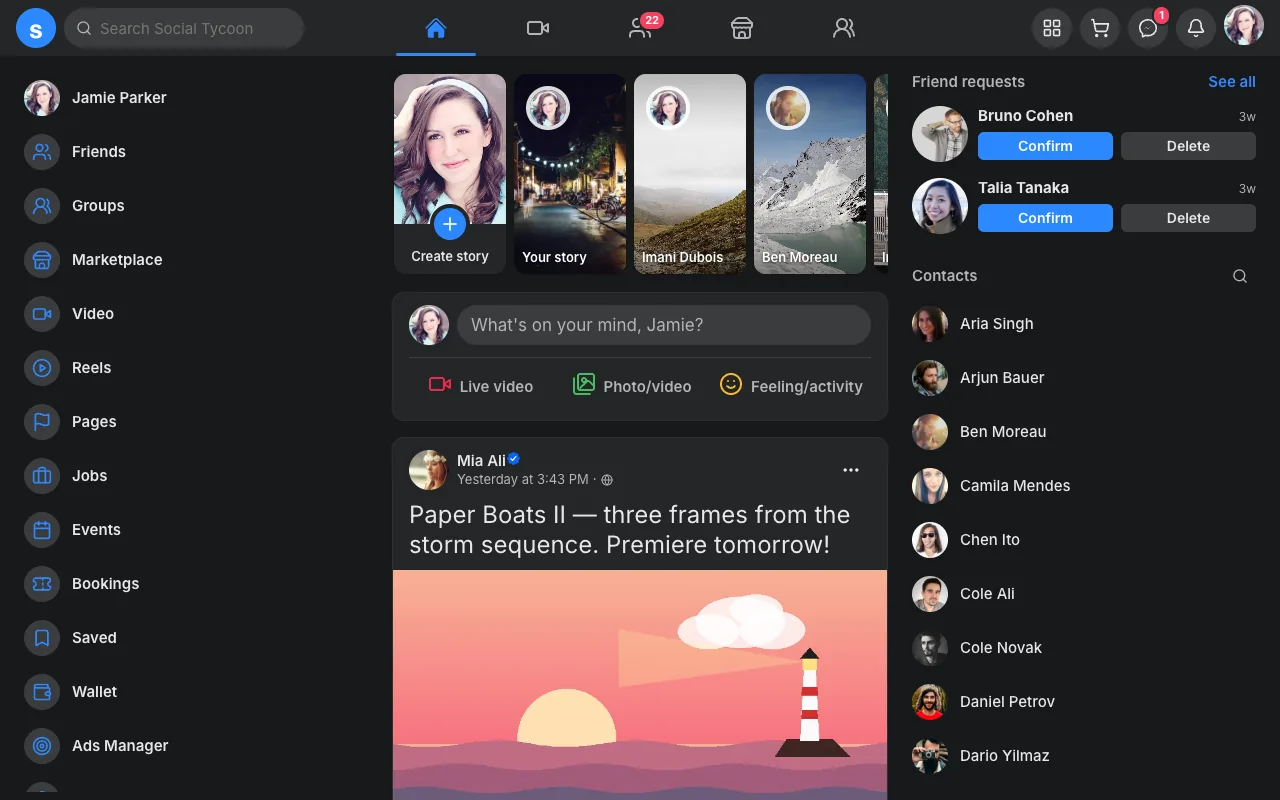
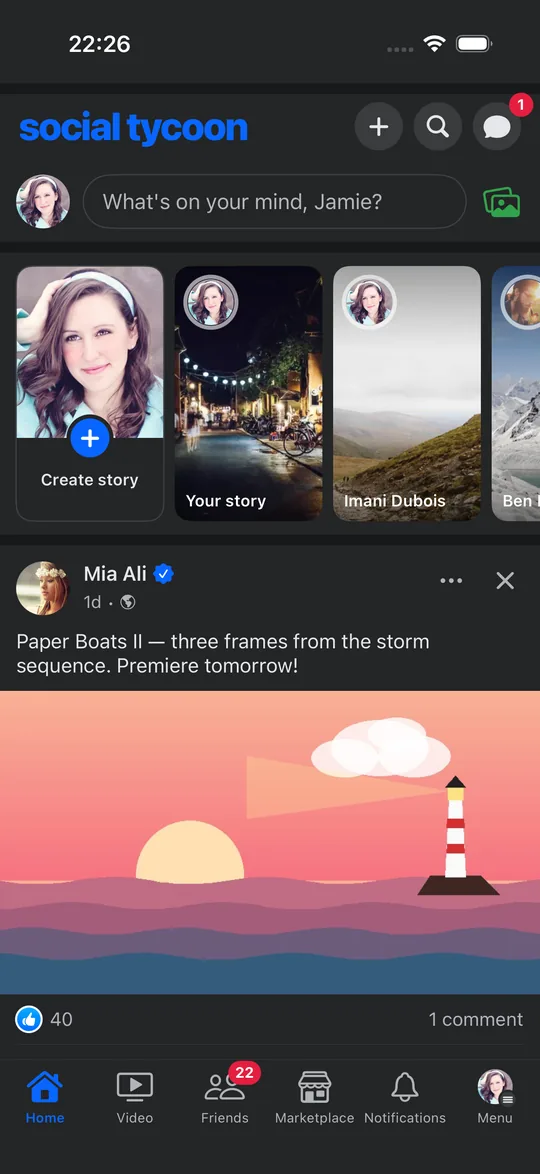
The feed with a stories tray, a “What’s on your mind?” composer and shares — plus the places a community gathers: groups, events, a marketplace and Pages.
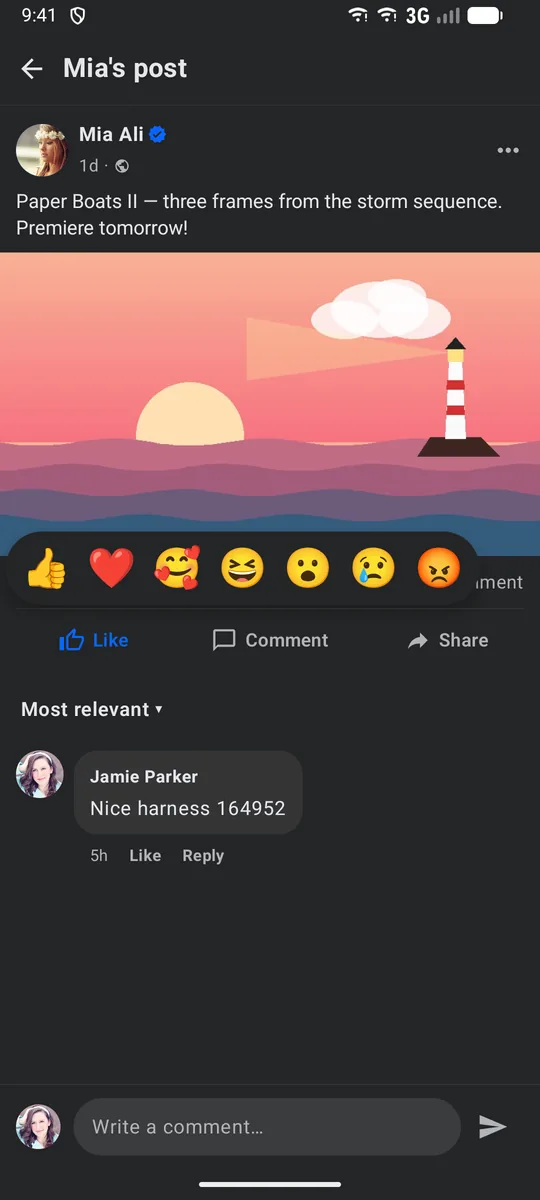
Seven reactions on long-press
Like, Love, Care, Haha, Wow, Sad and Angry: a long-press on Like opens the tray, on the web and in both apps.
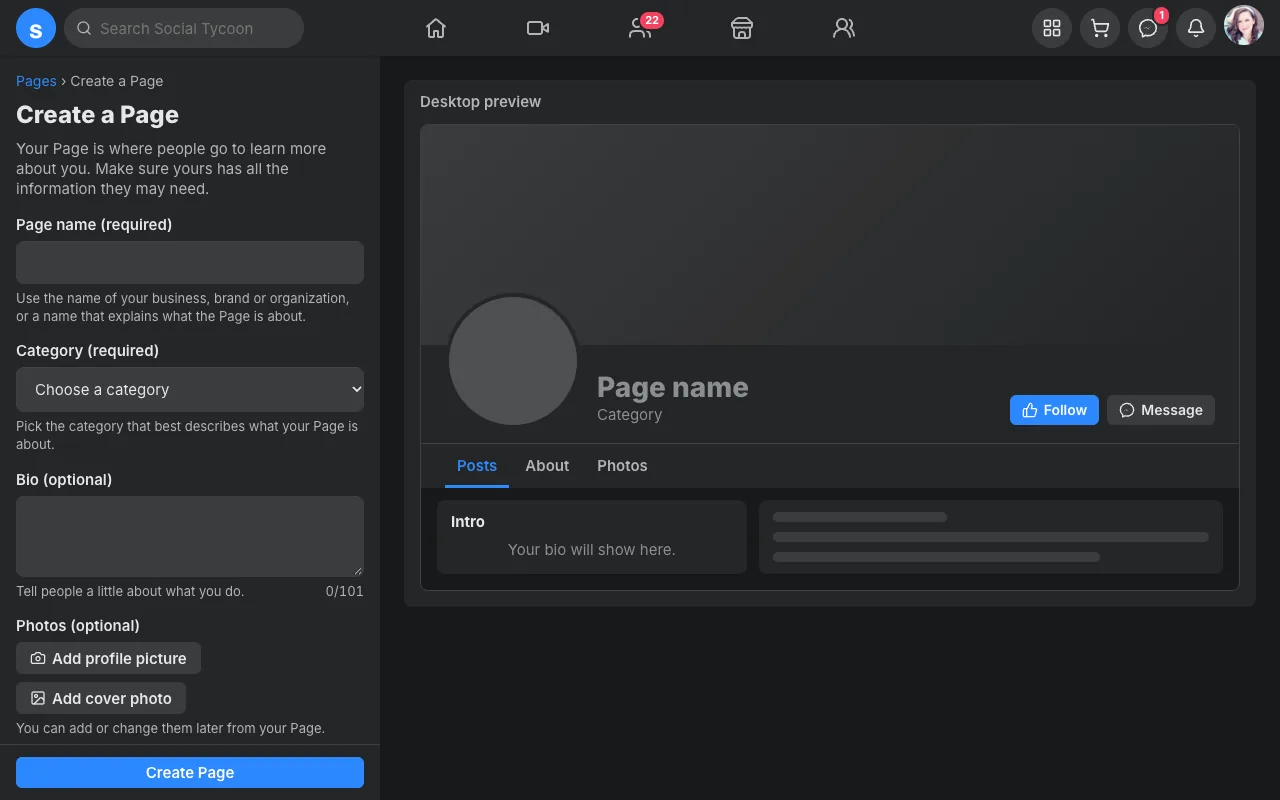
Pages members run, with bookings
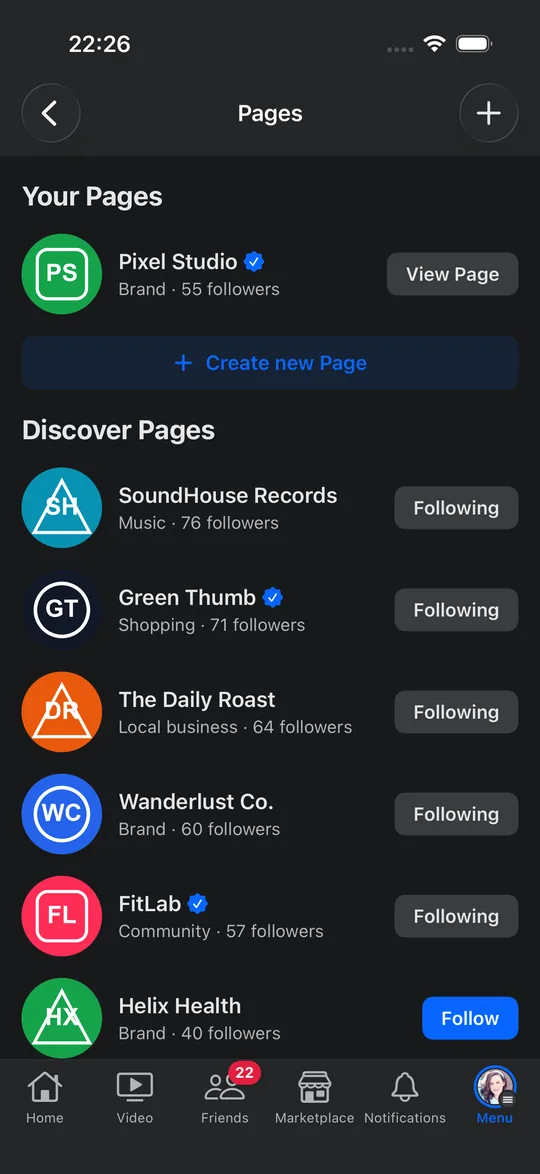
Members create a Page with a live preview, post as it, and take appointments or room bookings that guests pay at the venue.
Groups, events, marketplace
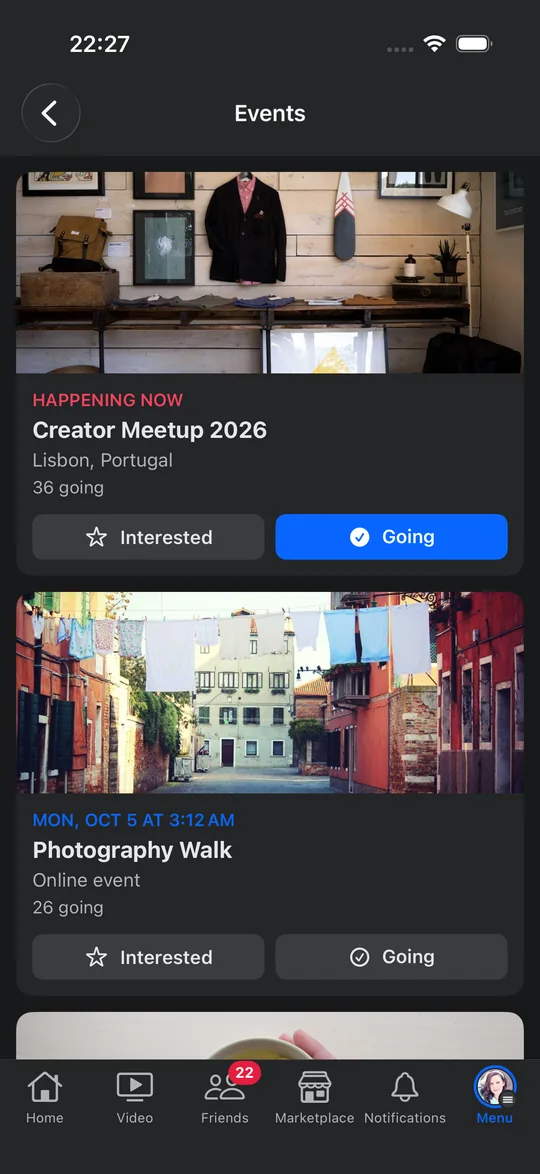
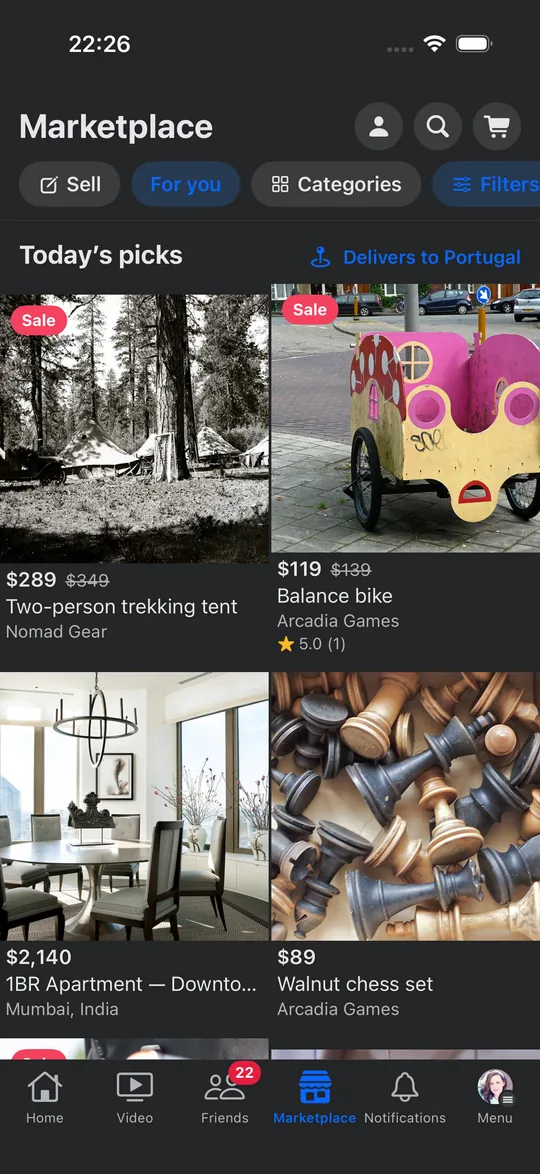
Groups with their own feed, events with Interested and Going, and marketplace listings with photos, prices and a message to the seller.
Everything in the app
- Feed with a stories tray
- Reels and Watch
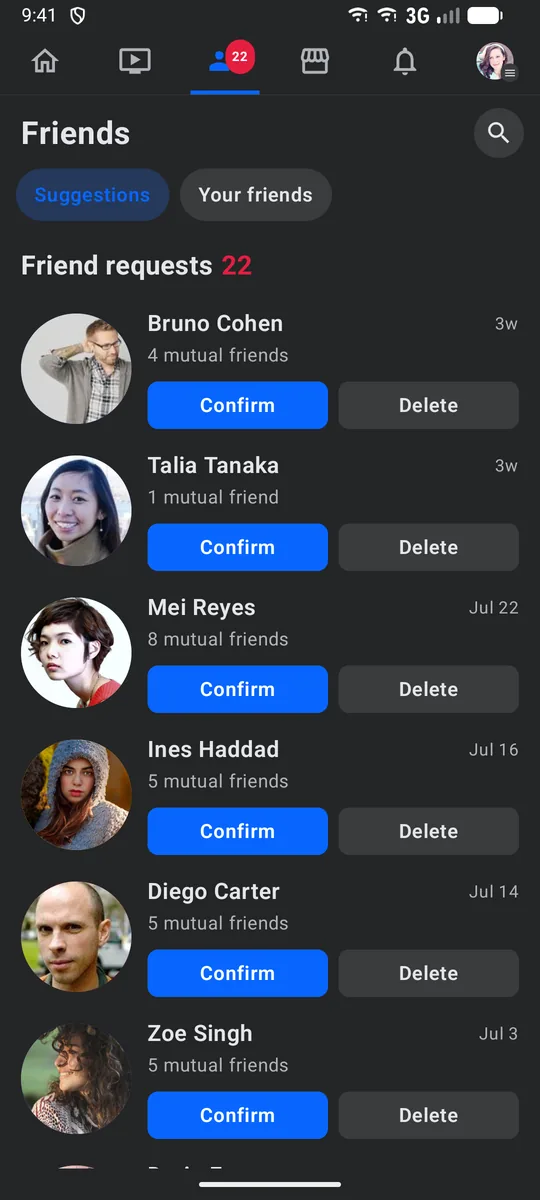
- Friends and requests
- Groups
- Pages members create and run
- Bookings on Pages
- Events
- Marketplace
- Jobs posted by Pages
- Saved
- Chats
- Ads Manager and Boost
The words members see
| Share | Share |
|---|---|
| Follow | Add friend |
| Followers | Friends |
| Saved | Saved |
| Messages | Chats |
| Composer | What’s on your mind? |
Reactions
- Like
- Love
- Care
- Haha
- Wow
- Sad
- Angry
Pages
Pages your members run themselves.
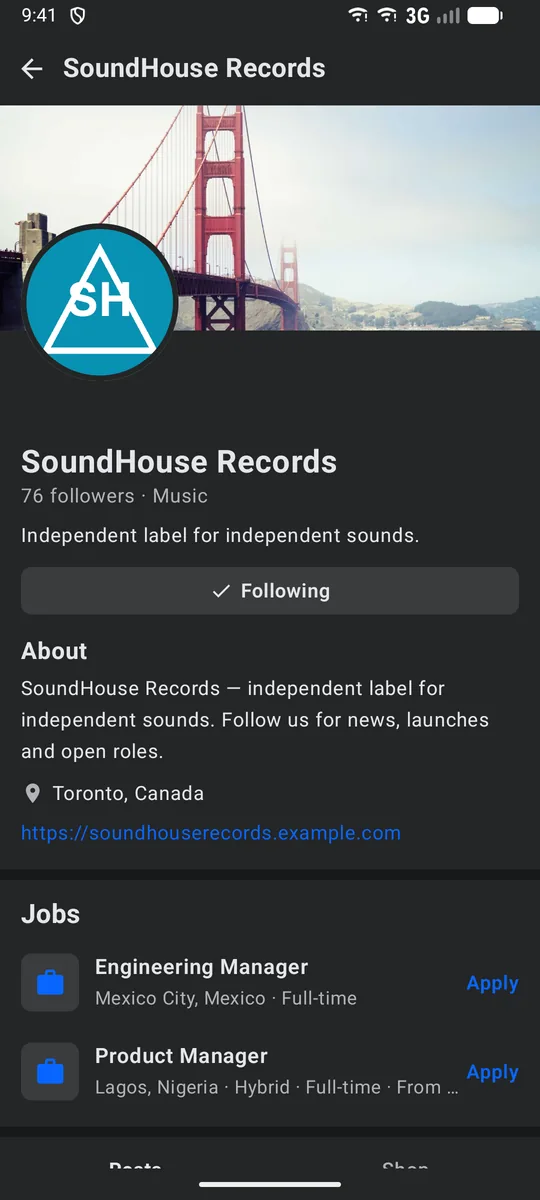
A salon, a club chapter or a guest house opens a Page in minutes, then posts as it, takes bookings, sells from its shop and lists jobs.
- Create a Page with a live preview
- Appointments with a length, a price and opening hours
- Rooms booked by the night, with check-in and check-out
- Confirm at once or review each request; guests pay at the venue
- Jobs posted by Pages, with Easy Apply
- A flagged Page waits for an admin
Advertising
Meta-style Ads Manager
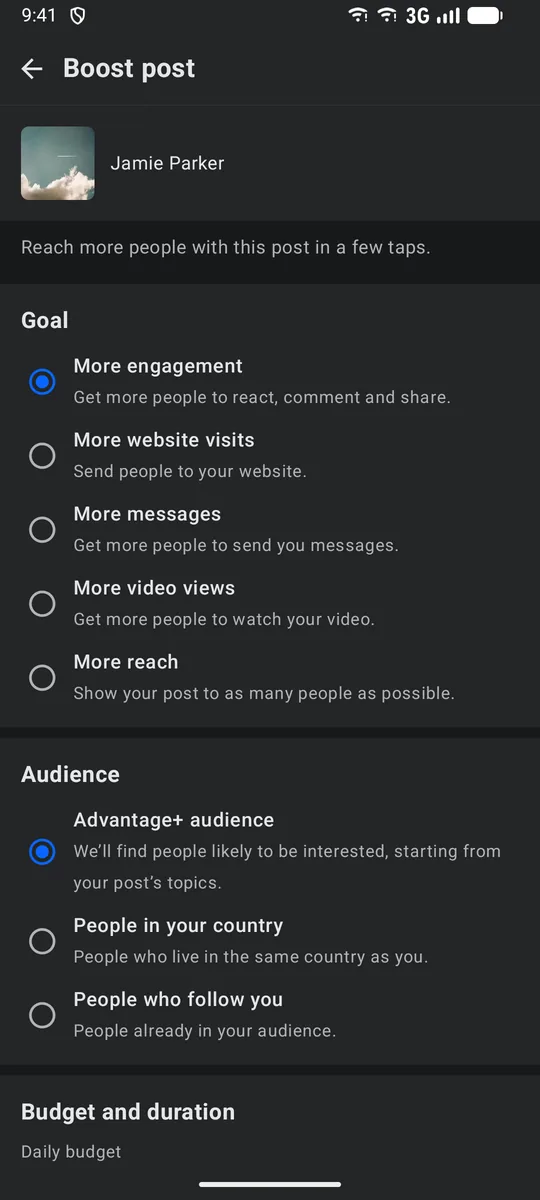
Local businesses boost a post in a few taps, or build full campaigns with ad sets — the same Ads Manager the Instagram-style app uses.
- Campaign
- Ad set
- Ad
Objectives
- Awareness
- Traffic
- Engagement
- Leads
- App promotion
- Sales
- Where ads run
- Feed, stories, Reels, video feeds, Marketplace, the right column and search
- A view counts after
- 3 seconds
The Facebook- and Instagram-style apps share this family.
How you make money
What a Facebook-style network earns you.
Every stream below is in the product today. You set the fees in your admin; the money goes to your own Stripe account and wallets — we don’t take a cut.
A fee on every token payment
Members pay each other in tokens (1 token = US$1). You keep a share of every payment: 10% by default, and each kind of payment can have its own fee. Reward offers carry none unless you set one.
- Paid posts
- Paid comments
- Subscriptions to creators
- Group entry fees
- Group memberships
- Fees to post in a group
- Paid group posts
- Tips
Admin → Tokens → Settings → Fees
Token sales and cash-outs
Every token is bought from your network: by card into your Stripe account, or with Bitcoin and Ethereum sent to wallets you own. You can add a service fee to each purchase and a fee to each cash-out (both 0% by default). Cash-outs stay off until you allow them, and you settle each one.
- Service fee on buying tokens
- Cash-out fee
Admin → Tokens → Settings
Advertising: Meta-style Ads Manager
Businesses buy ads from you in a self-serve, Meta-style Ads Manager, or boost a post in a few taps. They pay from a prepaid balance or by card, and every ad waits in your review queue.
- Feed
- Stories
- Reels
- Video feeds
- Marketplace
- Right column
- Search results
Admin → Advertising
Membership plans
Paid plans members take by the month, by the year or once, billed by Stripe straight into your account, at the prices you set.
- Monthly
- Yearly
- One-time
Admin → Subscriptions
Commission on shop sales
Pages open shops. Buyers pay your network by card, you pay each store its sales, and you keep a commission on every order: 5% by default, anywhere from 0 to 50%.
- Commission per order
- Payouts you settle
Admin → Settings → Shops
Creator economy
What creators sell, and members pay for.
Paid groups, creators with subscribers, tips on posts and shops on Pages. Members pay with tokens bought by card or crypto, and shops check out through your Stripe account.
One wallet, in tokens
1 token = US$1. Members buy tokens by card through Stripe, or send Bitcoin or Ethereum to a deposit address of their own.
Paid groups
An entry fee, a monthly membership, a fee to publish and a price per post read. Each has its own switch.
Shops on Pages
Pages sell products that also appear in the marketplace. Buyers check out by card, you keep a commission (5% by default) and you settle each store’s payouts from the admin.
Paid and subscriber-only posts
Creators put a price on a post, photo or video, or keep it for subscribers. Locked posts stay in the feed, behind a lock.
Monthly subscriptions
Members subscribe to a creator by the month, in tokens, and see everything the creator keeps for subscribers.
Tips and paid comments
Members tip creators, and creators can set a price to comment on their posts.
Reward offers
Creators offer tokens for a follow, a like, a share or a comment, under rules they set.
Your fee, your rules
You set the fee on each kind of token payment — 10% by default — plus optional fees on buying tokens and on cash-outs. Cash-outs stay off until you switch them on in Admin → Tokens.
Every part has its own switch in Admin → Tokens. Switched off, nothing new can be bought or unlocked, and what members already paid for stays theirs.
Native apps
Your Facebook-style app, in both stores.
The stories tray, long-press reactions, groups and the marketplace, as real iPhone and Android apps.
- SwiftUI on iOS; Kotlin and Jetpack Compose on Android
- Built as the Facebook-style app, with the same words, reactions and limits as the web
- Your name, icon and colours, published from your own developer accounts
- Checkout opens in the browser and comes back, within store rules
- Members can delete their account from the app
Gallery
More of the Facebook-style app.
Real screens from the demo network.
Pricing
One price for every type.
Every feature of the Facebook-style app is included: the ad manager, payments, the native apps, the admin console, hosting and updates. Only your size changes the price.
- Setup, once
- €999
- Per month
- €10 per 1,000 daily active users
- Monthly minimum
- €100 up to 10,000 DAU
Questions
About the Facebook-style app
Can members create their own Pages?
Yes. Any member can create a Page with a live preview, post as it and change its photos. A Page the word filter flags waits for an admin before it goes live.
How are bookings paid?
At the venue. A Page confirms requests at once or reviews each one, either side can cancel, and the guest pays the business directly.
Can Pages sell things?
Yes. A Page can run a shop whose products also appear in the marketplace. Buyers pay by card through your Stripe account; each store’s sales, minus your commission (5% by default), build up a balance you pay out from the admin.
Is it friends or followers?
Friends: a request has to be accepted, and the connection goes both ways. Private posts are shared with friends only, never with a pending request.
Can I change the type later?
No. The six types are different apps — each with its own layout, words and features — and your web app, admin and store apps are built as the type you choose. You pick it at setup, and it stays that type for good.
Is this affiliated with Facebook, Twitter, Instagram, TikTok, LinkedIn or YouTube?
No. “Facebook-style” and the rest describe the kind of experience your members get. Your network carries your own name and logo.
The other five types
Each one is a separate app. Your network is built as the type you choose.
Facebook style
Launch your own Facebook-style network.
Your name, logo and colours on the web, iOS and Android, live in about two weeks. Test it on its own test network before you choose.