YouTube style
Videos, Shorts, channels, playlists and live streams.
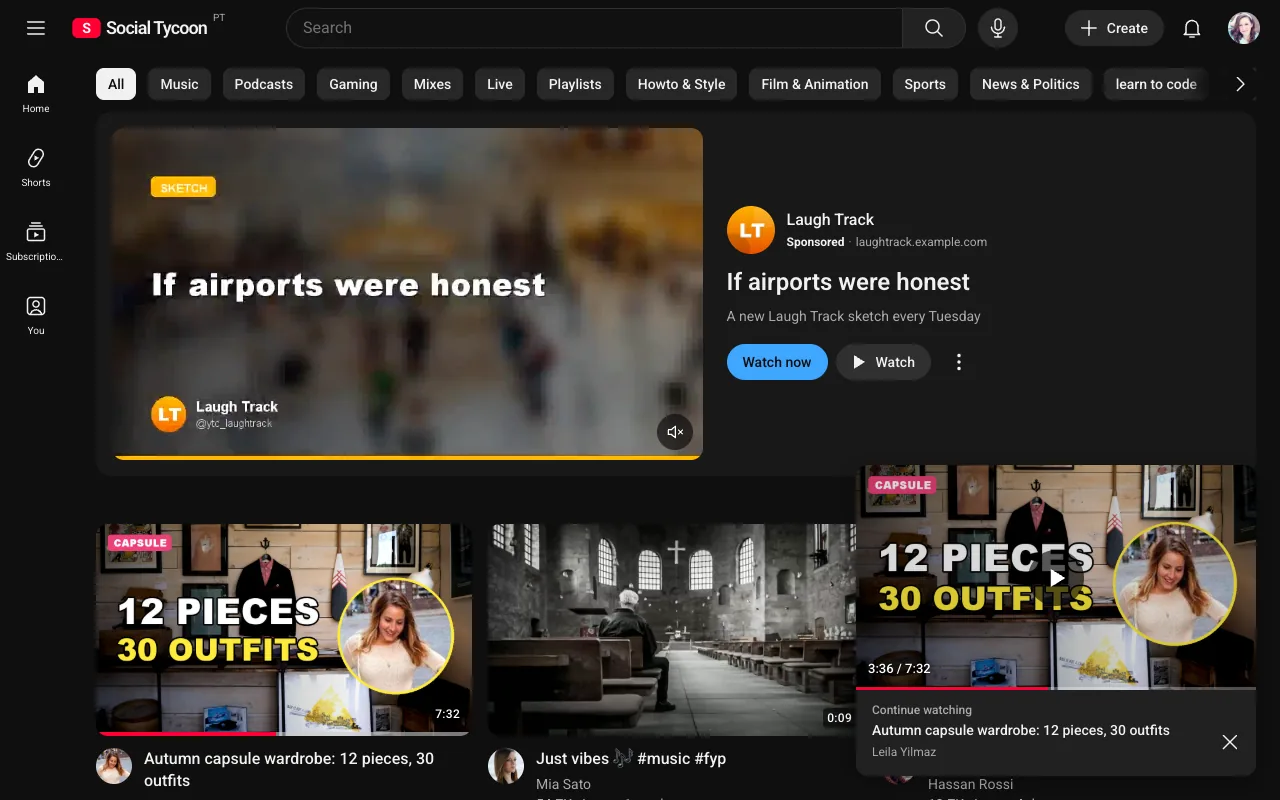
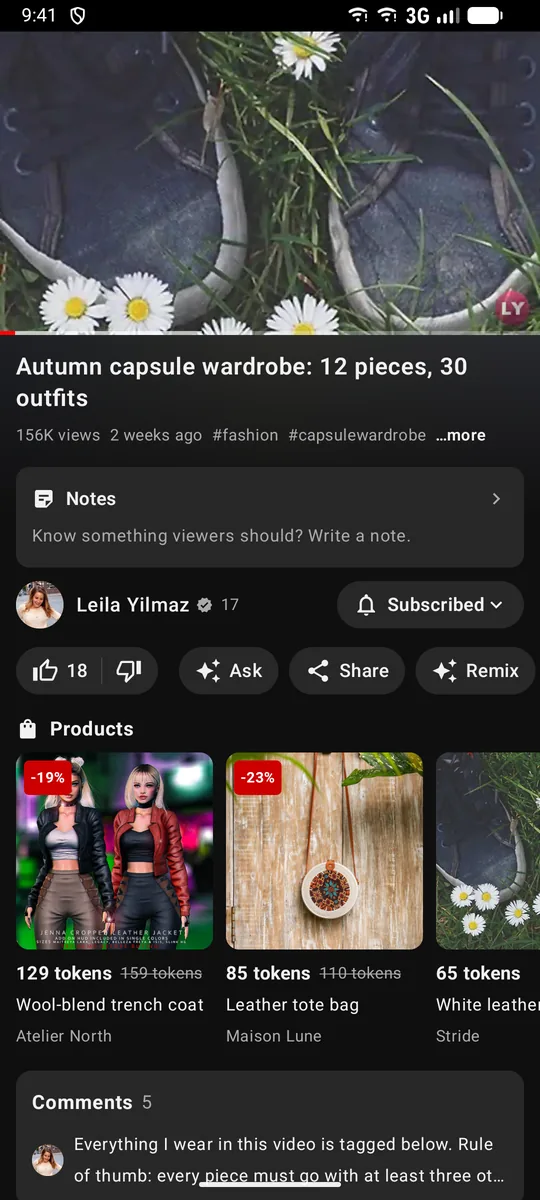
For channels, course creators and video-first communities. A home grid with topic chips, a watch page with chapters, captions and Up next, Shorts, live streams with chat, and Studio, where every creator can see how their videos are doing.
Its own test web app and admin, with logins you can use right away.
At a glance
- People
- Subscribe — one way; channels are public
- Reactions
- Like and dislike (dislike counts stay private)
- Limits
- Titles up to 100 characters; Shorts up to 3 minutes
- Ad manager
- Google-Ads-style Video campaigns
One type per network, chosen at setup. We build your web app, admin console and store apps as the type you pick, and it stays that type for good — there’s no switching to another type later. Not sure yet? Test all six first.
What members get
Video at every length.
Home with chips, the watch page, Shorts, subscriptions with the bell, playlists and history, community posts and polls, live streams and Premieres.
Shorts, playlists and history
Vertical Shorts get their own shelf and player. Playlists can be collaborative, and members can pause their history.
Live with chat and Super Chat
Live streams and Premieres with chat, slow mode and moderation. Super Chat highlights a paid message.
Studio analytics for creators
Views, watch time, subscribers and revenue over 7, 28, 90 or 365 days, plus a 48-hour realtime view.
Everything in the app
- Home with chips
- Watch page: chapters, captions, Up next
- Shorts
- Subscriptions and the bell
- Playlists, history, Watch later
- Community posts, polls and quizzes
- Live streams and Premieres
- Channel memberships
- Premium
- Studio analytics
- Google-Ads-style video ads
The words members see
| Share | Share |
|---|---|
| Follow | Subscribe |
| Followers | Subscribers |
| Saved | Watch later |
| Messages | — (no DMs) |
| Composer | Tell viewers about your video |
Reactions
- Like and dislike (dislike counts stay private)
Advertising
Google-Ads-style Video campaigns
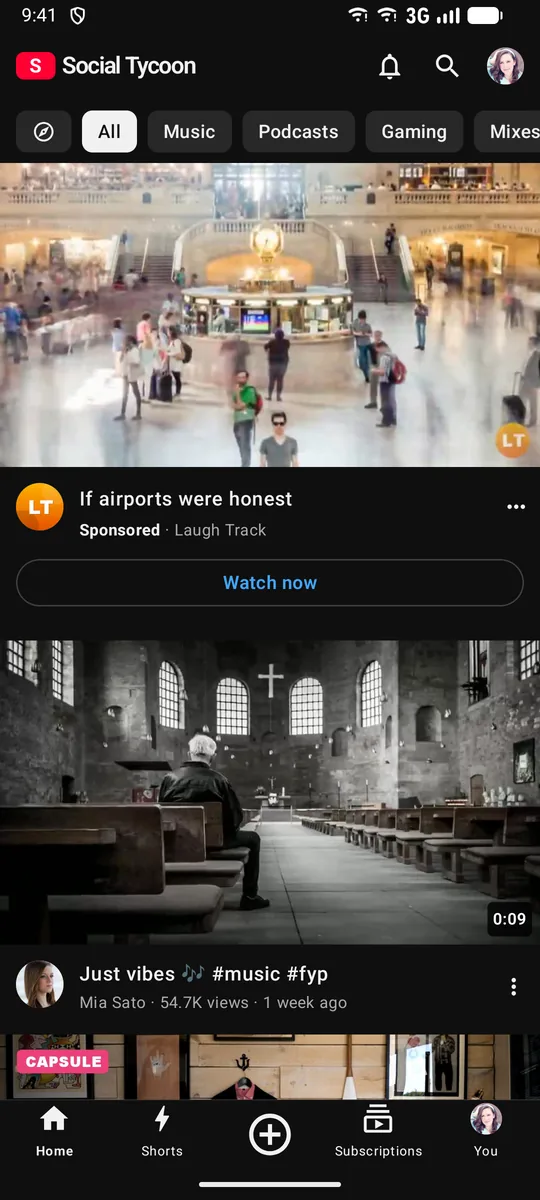
In-stream, in-feed, Shorts and masthead ads, run as video campaigns. Channels in the partner programme earn a share of what advertisers spend on their videos.
- Campaign
- Ad group
- Ad
Objectives
- Video views
- Video reach
- Drive conversions
- Ad sequence
Formats
- Skippable in-stream — skip after 5 s
- Non-skippable in-stream — up to 15 s
- Bumper — up to 6 s
- In-feed
- Shorts ads
- Masthead
- Where ads run
- Before, during (videos of 8 minutes or more) and after videos; in-feed, Shorts and the home masthead
- A view counts after
- 30 seconds (or the end, or a click) for skippable ads
How you make money
What a YouTube-style network earns you.
Every stream below is in the product today. You set the fees in your admin; the money goes to your own Stripe account and wallets — we don’t take a cut.
A fee on every token payment
Members pay each other in tokens (1 token = US$1). You keep a share of every payment: 10% by default, and each kind of payment can have its own fee. Reward offers carry none unless you set one.
- Paid posts
- Paid comments
- Channel memberships
- Gifted memberships
- Tips
- Super Thanks
- Super Chat and Super Stickers
- Donations to fundraisers
- Hype
- Shopping
- Buying a movie
- Renting a movie
- Courses
Admin → Tokens → Settings → Fees
Token sales and cash-outs
Every token is bought from your network: by card into your Stripe account, or with Bitcoin and Ethereum sent to wallets you own. You can add a service fee to each purchase and a fee to each cash-out (both 0% by default). Cash-outs stay off until you allow them, and you settle each one.
- Service fee on buying tokens
- Cash-out fee
Admin → Tokens → Settings
Advertising: Google-Ads-style Video campaigns
Advertisers run Google-Ads-style video campaigns: in-stream, in-feed, Shorts, masthead and pause ads. They pay from a prepaid balance or by card, and every ad waits in your review queue.
- In-stream (before, during and after videos)
- Home feed
- Search results
- Watch next
- Shorts
- Masthead (top of Home)
- Pause ads (beside a paused video)
Admin → Advertising
Ad revenue, shared with partner channels
Channels in your Partner Program earn a share of what advertisers spend on their videos — 55% by default, and you set it. The rest of every campaign is yours.
- Creator share: 55% by default
- You keep the rest
Admin → Partner Program
Premium subscriptions
Ad-free videos, background play and downloads, sold through Stripe at the price you set and paid into your account.
- Ad-free videos
- Background play
- Downloads
Admin → Premium
Creator economy
What creators sell, and members pay for.
Channel memberships, Super Chat, Super Thanks and Hype run on tokens, the same wallet members use across your network. Premium is the one subscription paid through Stripe.
Join: channel memberships
Membership levels with perks and badges, and members-only videos. Upgrades apply at once; downgrades at renewal.
Super Chat and Super Thanks
A paid, highlighted message in live chat, or a thank-you on a video, both paid in tokens.
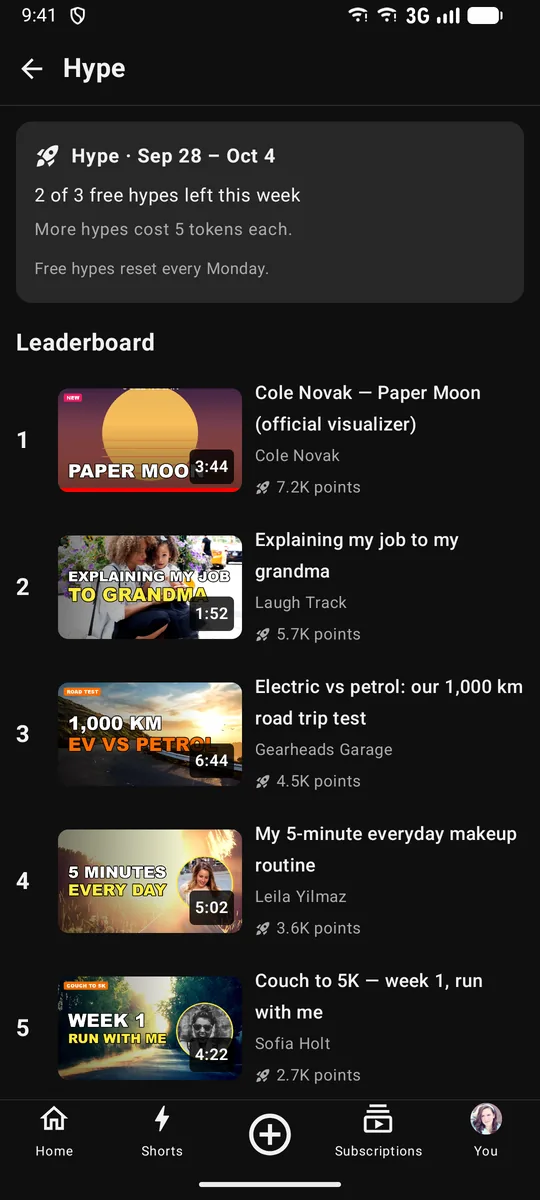
Hype
Three free hypes a week push new videos up a weekly leaderboard. Extra hypes cost tokens, which go to the channel.
Premium
Ad-free viewing, background play and downloads. The one subscription paid through Stripe.
Ad revenue share
Channels in the partner programme earn a share of the in-stream ad spend on their videos — 55% by default. You set the share.
One wallet, in tokens
1 token = US$1. Members buy tokens by card through Stripe, or send Bitcoin or Ethereum to a deposit address of their own.
Every part has its own switch in Admin → Tokens. Switched off, nothing new can be bought or unlocked, and what members already paid for stays theirs.
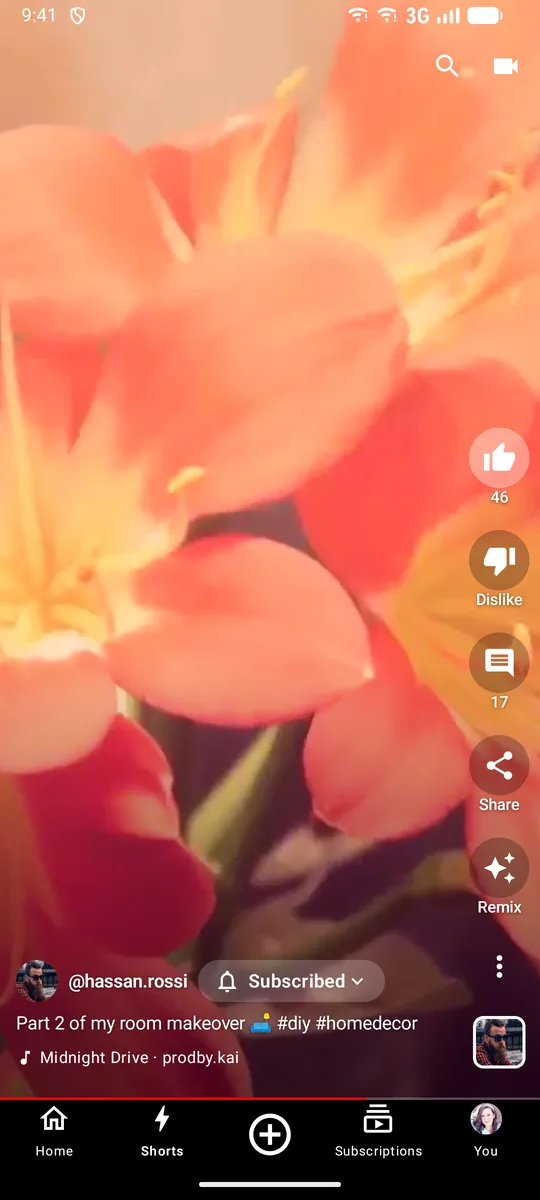
Native apps
Your YouTube-style app, in both stores.
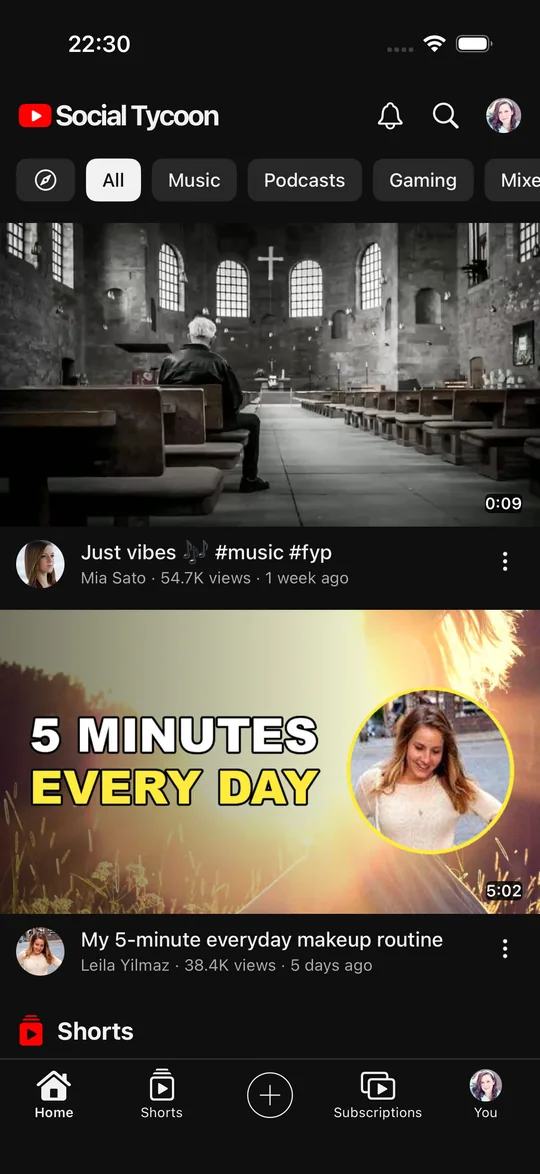
Shorts, the watch page, playlists and live chat, as real iPhone and Android apps.
- SwiftUI on iOS; Kotlin and Jetpack Compose on Android
- Built as the YouTube-style app, with the same words, reactions and limits as the web
- Your name, icon and colours, published from your own developer accounts
- Checkout opens in the browser and comes back, within store rules
- Members can delete their account from the app
Studio
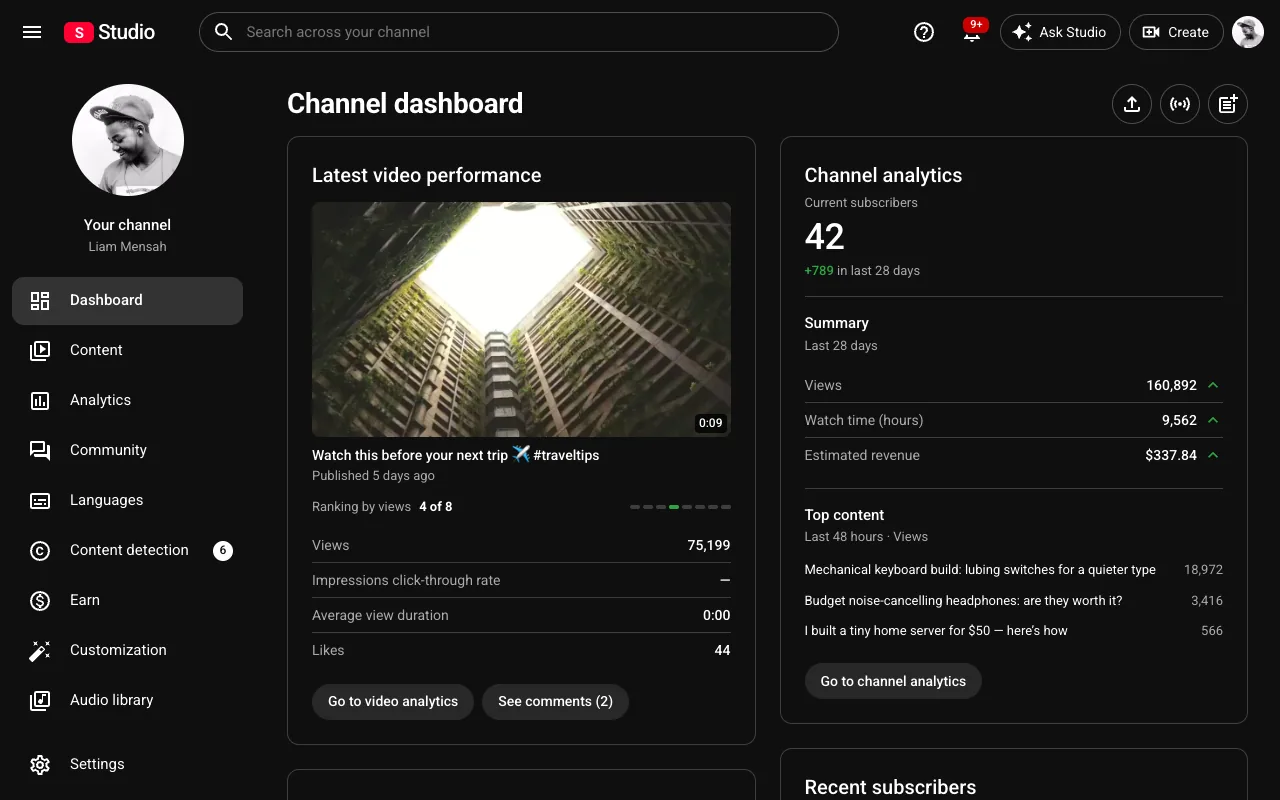
Studio: every creator’s dashboard.
Creators upload, caption and measure their videos in Studio, on the web, under your brand.
- Views, watch time, subscribers and revenue over 7, 28, 90 or 365 days
- A realtime view of the last 48 hours
- Captions by SRT or VTT upload, and clips of a moment
- Chapters from the description
- Automatic thumbnails, 360p and 720p versions when ffmpeg is on the server
- Membership levels and earnings
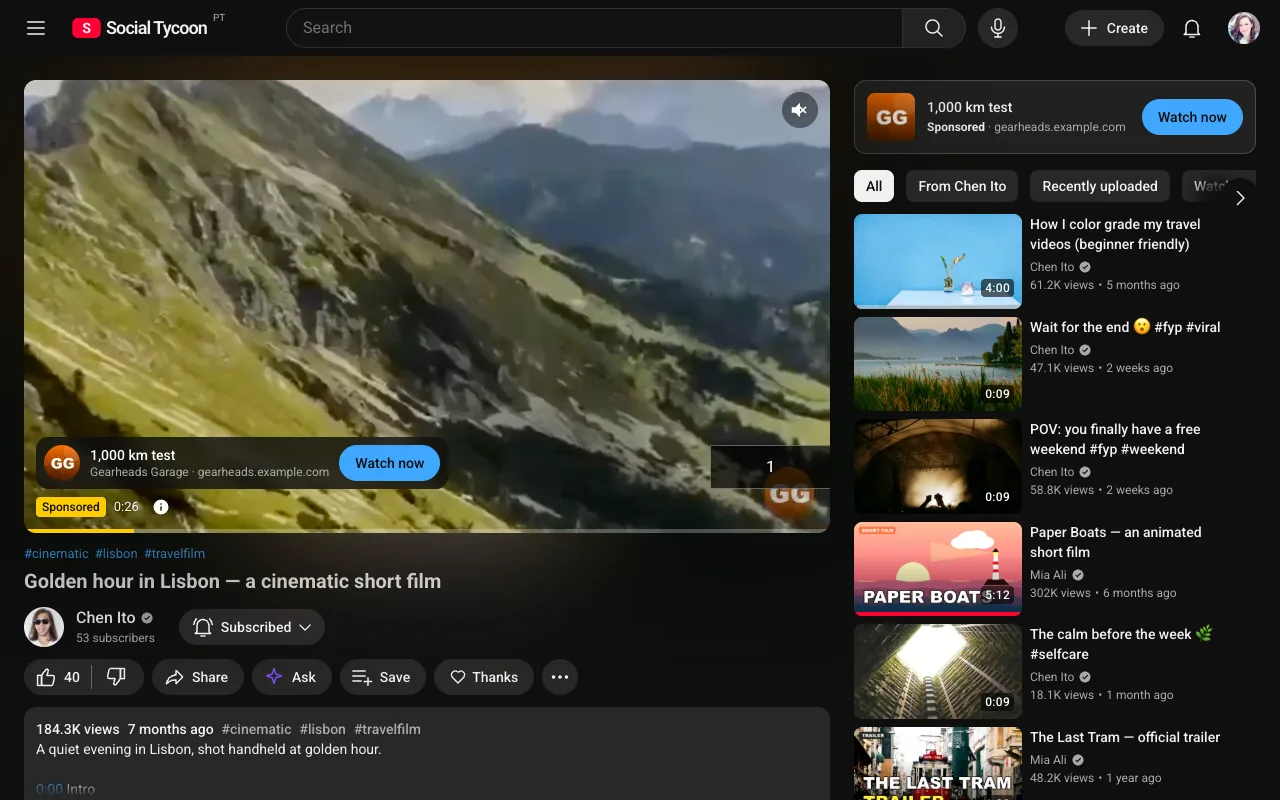
Gallery
More of the YouTube-style app.
Real screens from the demo network.
Pricing
One price for every type.
Every feature of the YouTube-style app is included: the ad manager, payments, the native apps, the admin console, hosting and updates. Only your size changes the price.
- Setup, once
- €999
- Per month
- €10 per 1,000 daily active users
- Monthly minimum
- €100 up to 10,000 DAU
Questions
About the YouTube-style app
How do members pay for memberships and Super Chat?
With tokens, from the same wallet members use across your network, bought by card or with Bitcoin and Ethereum. Premium is the one subscription paid through Stripe.
What is Hype?
A way to push a new video up a weekly leaderboard. Members get three free hypes a week, and extra ones cost tokens that go to the channel. Small channels get a boost, and Premium members’ hypes count 50% more.
Can creators go live?
Yes. Live streams have chat, slow mode and moderation, and a Premiere plays an upload as if it were live.
Are there direct messages?
No. Channels talk to viewers through comments, community posts and live chat.
Can I change the type later?
No. The six types are different apps — each with its own layout, words and features — and your web app, admin and store apps are built as the type you choose. You pick it at setup, and it stays that type for good.
Is this affiliated with Facebook, Twitter, Instagram, TikTok, LinkedIn or YouTube?
No. “Facebook-style” and the rest describe the kind of experience your members get. Your network carries your own name and logo.
The other five types
Each one is a separate app. Your network is built as the type you choose.
YouTube style
Launch your own YouTube-style network.
Your name, logo and colours on the web, iOS and Android, live in about two weeks. Test it on its own test network before you choose.